Danho

Danho desktop

A workspace for your computer.

Explore virtual practicals, work through past papers and organise your study with room for apparatus, readings and equations.

45 days to explore Danho

Your 45-day trial begins when your email is first approved. Sign in with your email and enter the code sent to you.

Windows x64

Windows installers are unsigned. Windows may show a publisher warning.

Installer not yet available

macOS Apple Silicon

Choose the installer that matches your Mac’s processor.

Installer not yet available
macOS Intel

Choose the installer that matches your Mac’s processor.

Installer not yet available
Release information
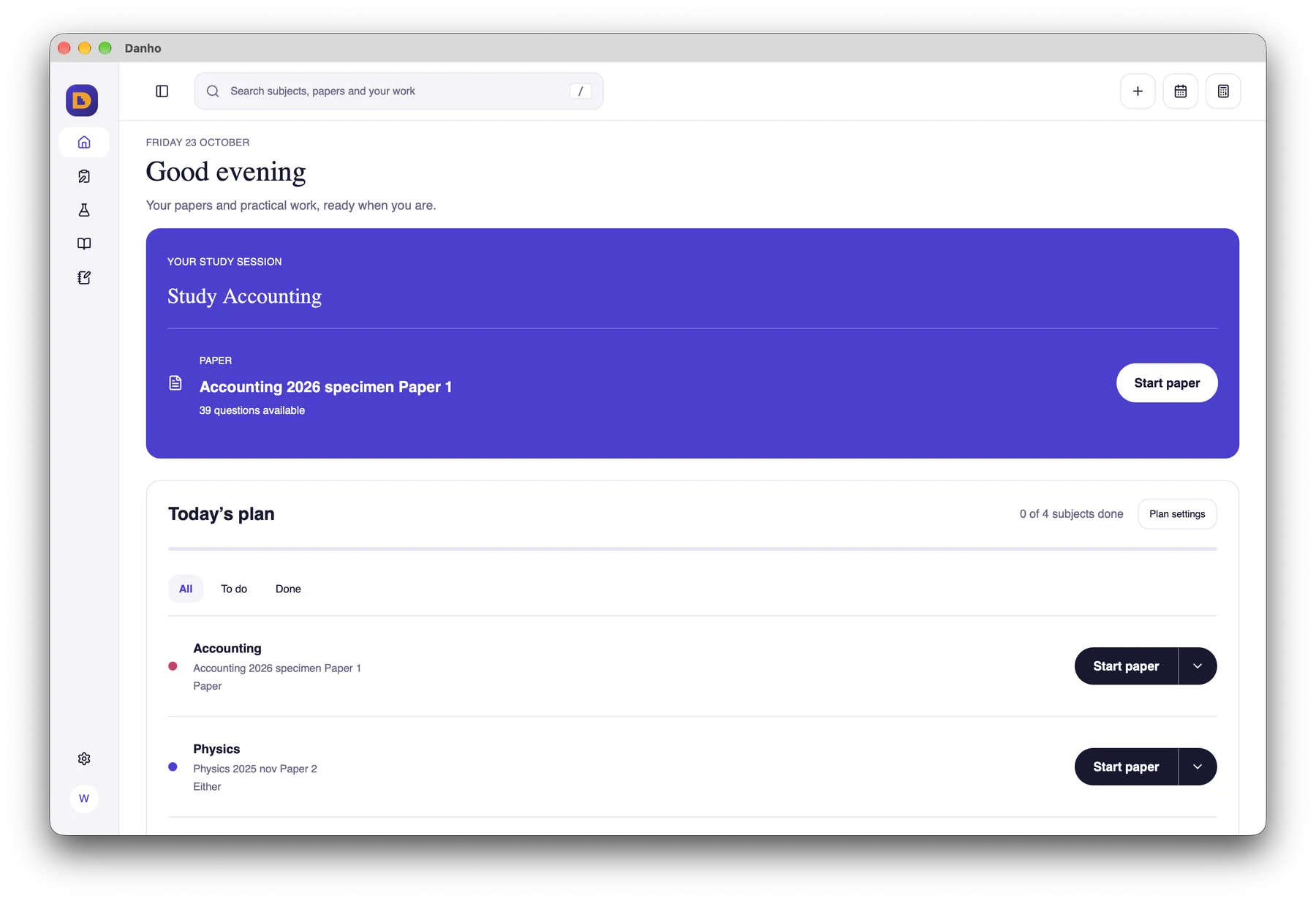
Danho desktop daily study plan and study sessions
Plan your subjects and return to your study sessions.
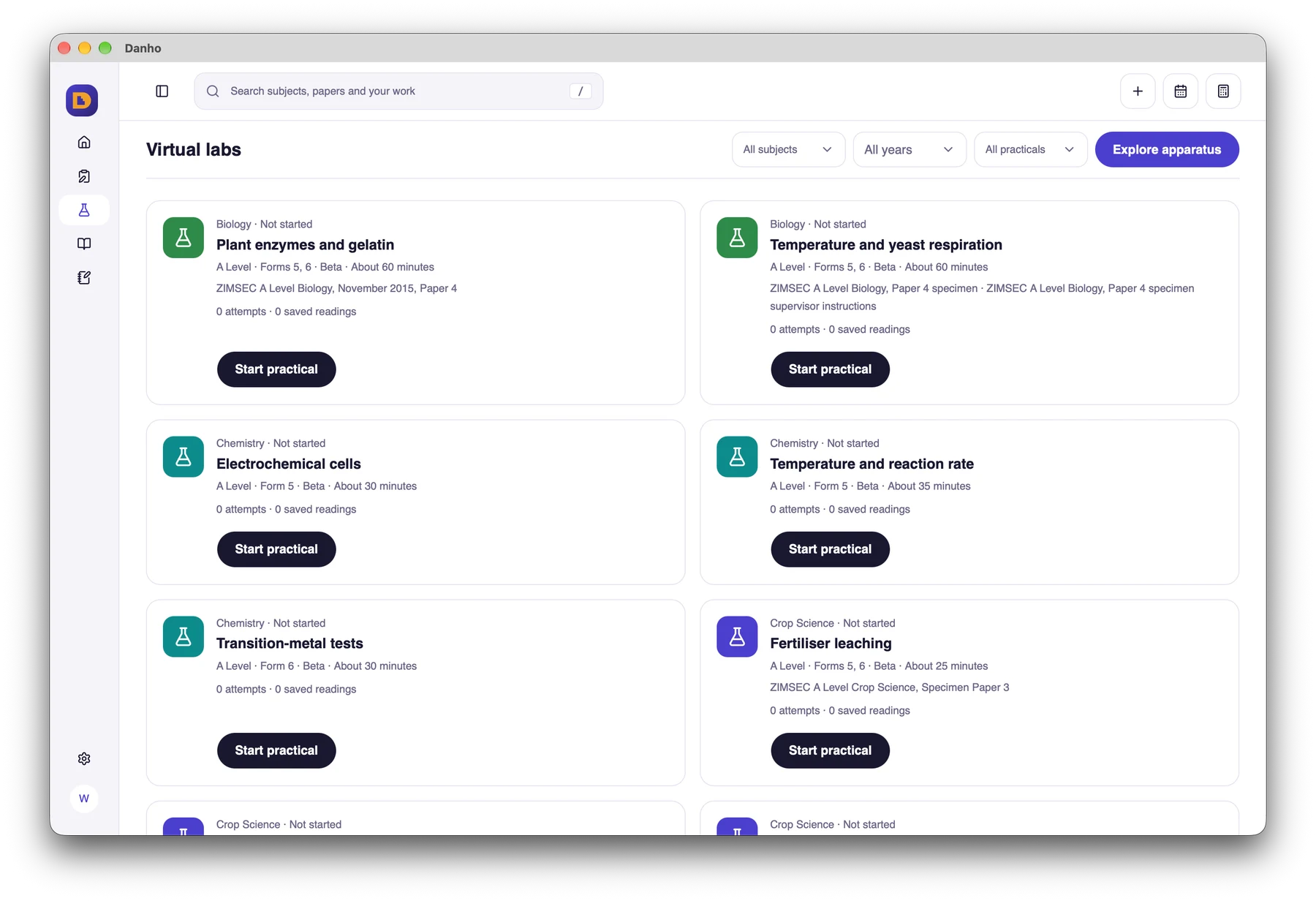
Danho desktop catalogue of virtual practical experiments
Choose a practical investigation from the catalogue.
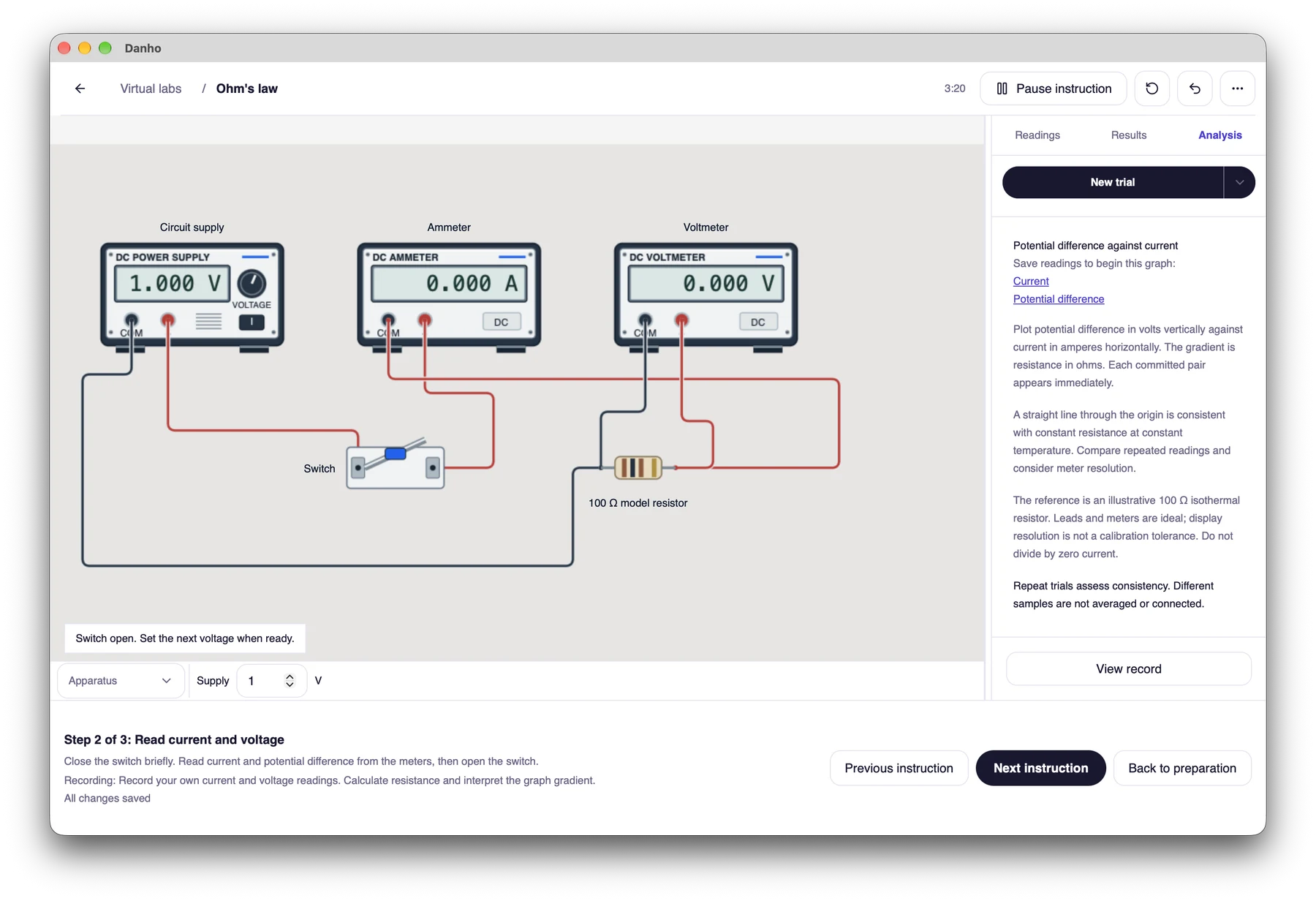
Ohm’s law apparatus, controls and readings in Danho desktop
Operate the apparatus and record your own readings.
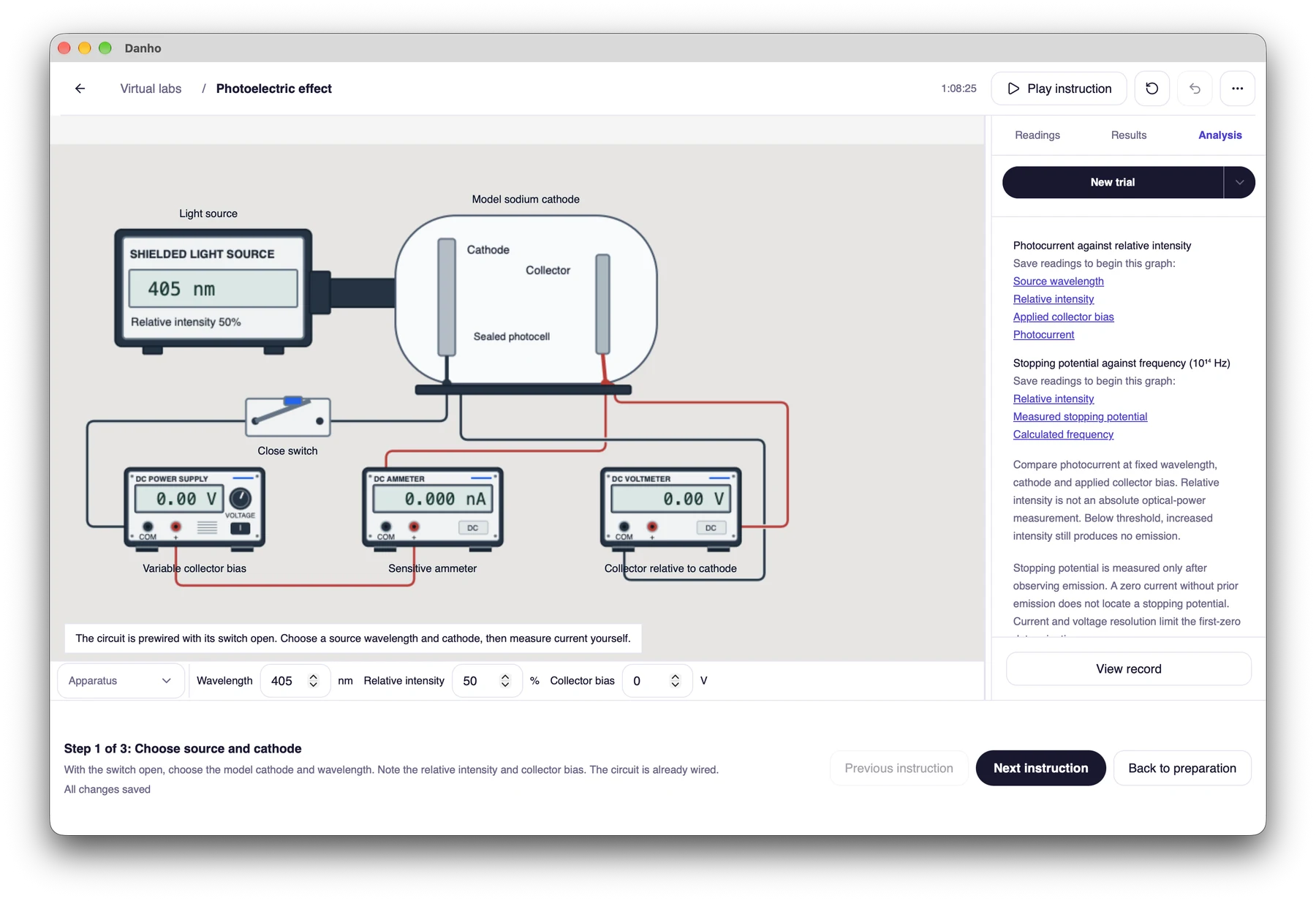
Photoelectric effect apparatus in Danho desktop
Investigate wavelength, collector bias and instrument readings.

Install and start studying

Windows x64

  1. Download the Windows x64 installer when it is available here. Confirm that it came from the official Danho release.
  2. Open the installer. An unsigned build may display a Windows SmartScreen warning. Check the file and its source before deciding whether to proceed. Keep Windows security protections enabled.
  3. Follow the installer, open Danho and sign in with your email. Enter the emailed code to activate your trial.
  4. Use the updates offered by Danho, or return here for the latest verified installer.

macOS Apple Silicon

  1. Choose Apple Silicon for an M-series Mac, or Intel for an Intel Mac. About This Mac shows your chip or processor.
  2. Download the matching DMG when it is available, open it and drag Danho to Applications.
  3. Open Danho from Applications. If macOS cannot verify the app or reports a damaged file, stop and check the official release rather than disabling protections.
  4. Sign in with your email and enter the emailed code to activate your trial. Install updates offered by Danho or return here for the latest installer.